.
We begin another chapter in the ongoing ARTeam series of Reverse
Engineering tutorials. Today’s topic will go over .NET Reverse Engineering. This
topic has been hardly touched upon, thus giving me room to add some
information to the reader
BEE Seeing YA.
MDMA
1.
Forewords
Editor: MaDMAn_H3rCuL3s
.
N
N
E
E
T
T
R
R
e
e
v
v
e
e
r
r
s
s
e
e
E
E
n
n
g
g
i
i
n
n
e
e
e
e
r
r
i
i
n
n
g
g
T
T
u
u
t
t
o
o
r
r
i
i
a
a
l
l
E
E
p
p
i
i
s
s
o
o
d
d
e
e
2
2
M
M
a
a
D
D
M
M
A
A
n
n
_
_
H
H
3
3
r
r
C
C
u
u
L
L
3
3
s
s
Version 1.0
November 2006

PAGE 2
.NET REVERSE ENGINERRING TUTORIAL EPISODE 2
Disclaimers
All code included with this tutorial is free to use and modify; we only ask that you mention where you found it. This
tutorial is also free to distribute in its current unaltered form, with all the included supplements.
All the commercial programs used within this document have been used only for the purpose of demonstrating
the theories and methods described. No distribution of patched applications has been done under any media or
host. The applications used were most of the times already been patched, and cracked versions were available
since a lot of time. ARTeam or the authors of the paper cannot be considered responsible damages the
companies holding rights on those programs. The scope of this tutorial as well as any other ARTeam tutorial is of
sharing knowledge and teaching how to patch applications, how to bypass protections and generally speaking
how to improve the RCE art. We are not releasing any cracked application.
Verification
ARTeam.esfv can be opened in the ARTeamESFVChecker to verify all files have been released by ARTeam and
are unaltered. The ARTeamESFVChecker can be obtained in the release section of the ARTeam site:
http://releases.accessroot.com
Table of Contents
PAGE 3
.NET REVERSE ENGINEERING TUTORIAL EPISODE 2
1.
.NET Reverse Engineering Tutorial Episode 2
1.1.
Abstract
This tutorial is for informational purposes only. Once you complete the tutorial you are required to delete the
application from your hard drive or other type of media. By reading on you consent to the requirements and the
author is in no way responsible for your actions.
1.2.
Targets
As software is constantly updated, you can find the exact version used in this tutorial at the flowing link:
WinXP Manager v4.98.4
http://arteam.accessroot.com/tools/xpmanager.exe
1.3.
Reversing the Application
1.3.1 Preparation
Obtain the following tools:
1.
2. IDA : CommercialWare (google this)
3. FlexHEX : ShareWare (google this)
1.3.2 Checking out the target
Today’s target will be WinXP Manager. To start we get the victim program from link you are given earlier in this
paper. We will load up the victim into Reflector and look for anything that might interest us. The good thing
about .NET assemblies is that what you see is the source for the actual program. Like in C++ you have {if,else}
statements, for loops, the same goes for .NET. If you closely inspect the code in Reflector we see this occur.
Anyways, let us proceed with the paper on .NET assembly.
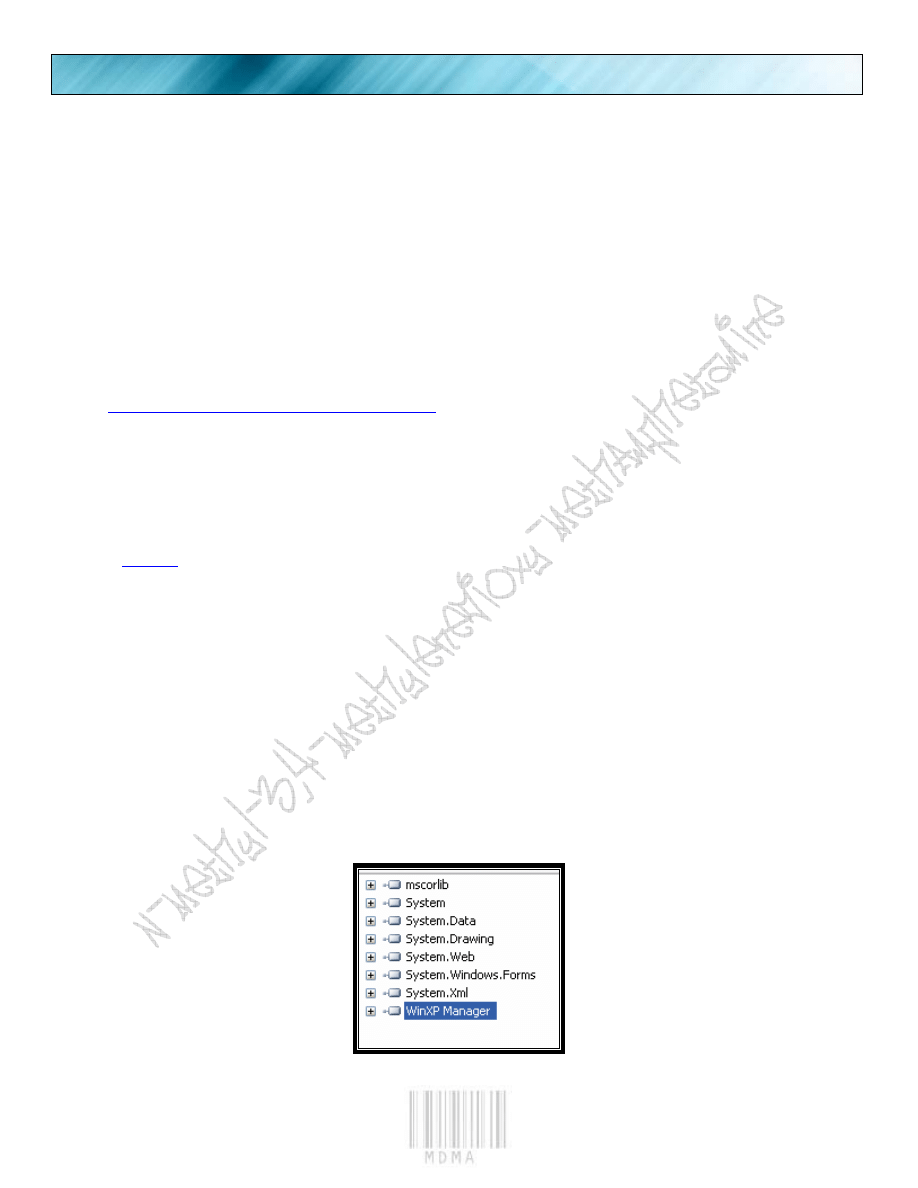
Upon first load in Reflector:
We see the Victim Executable.
PAGE 4
.NET REVERSE ENGINERRING TUTORIAL EPISODE 2
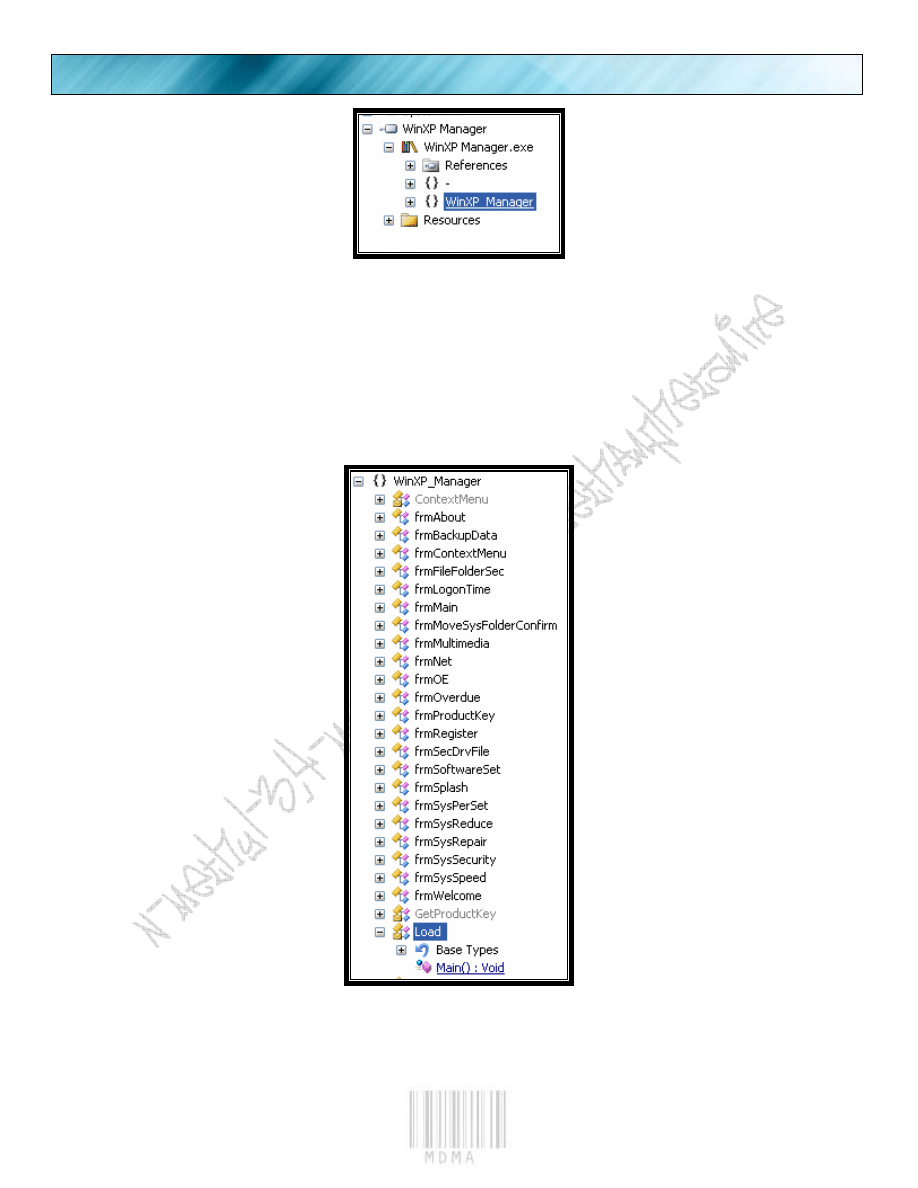
We expand the “+” signs
We expand it to see a possible method of attack.
PAGE 5
.NET REVERSE ENGINEERING TUTORIAL EPISODE 2
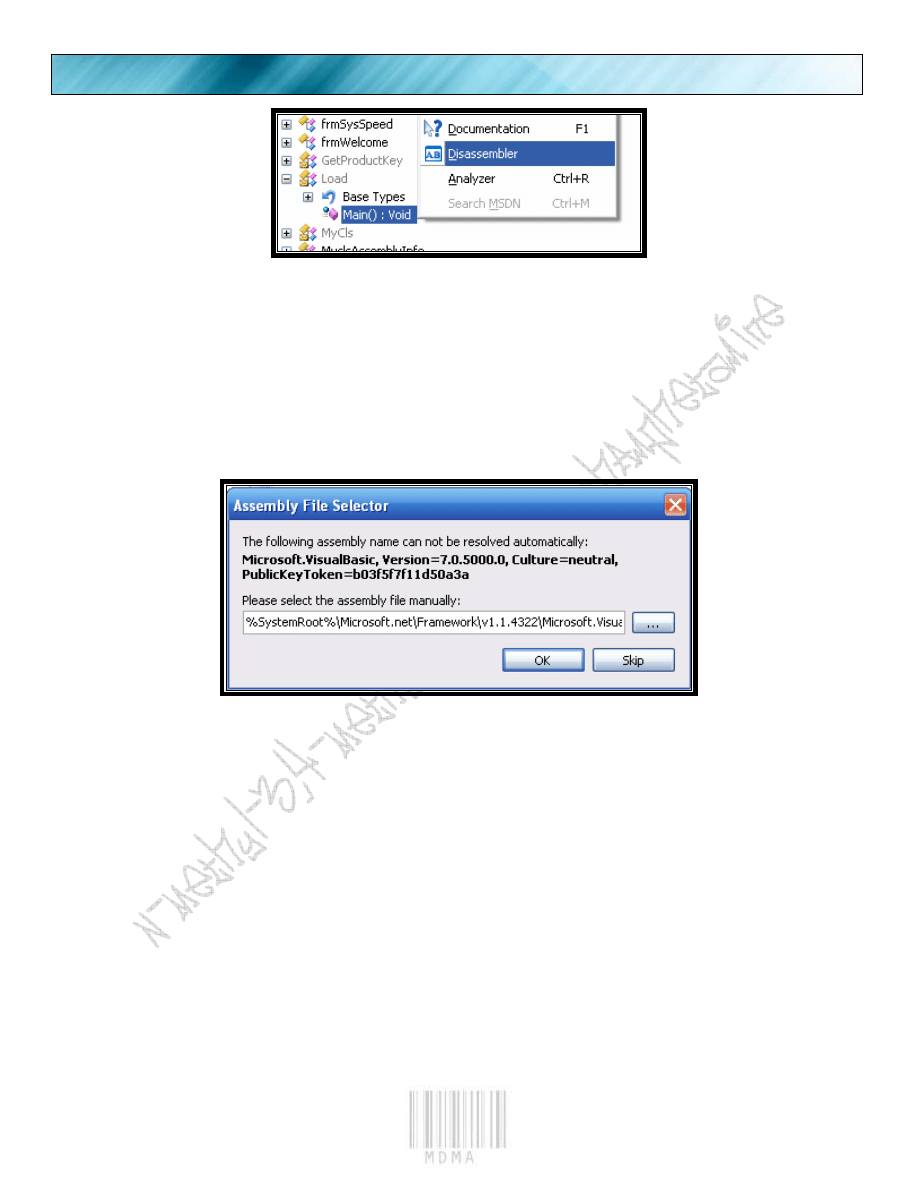
Then we hit it with the disasm engine to see what it holds.
You should get this error, (and another one) just hit “Skip”.
PAGE 6
.NET REVERSE ENGINERRING TUTORIAL EPISODE 2
And our layout is this.
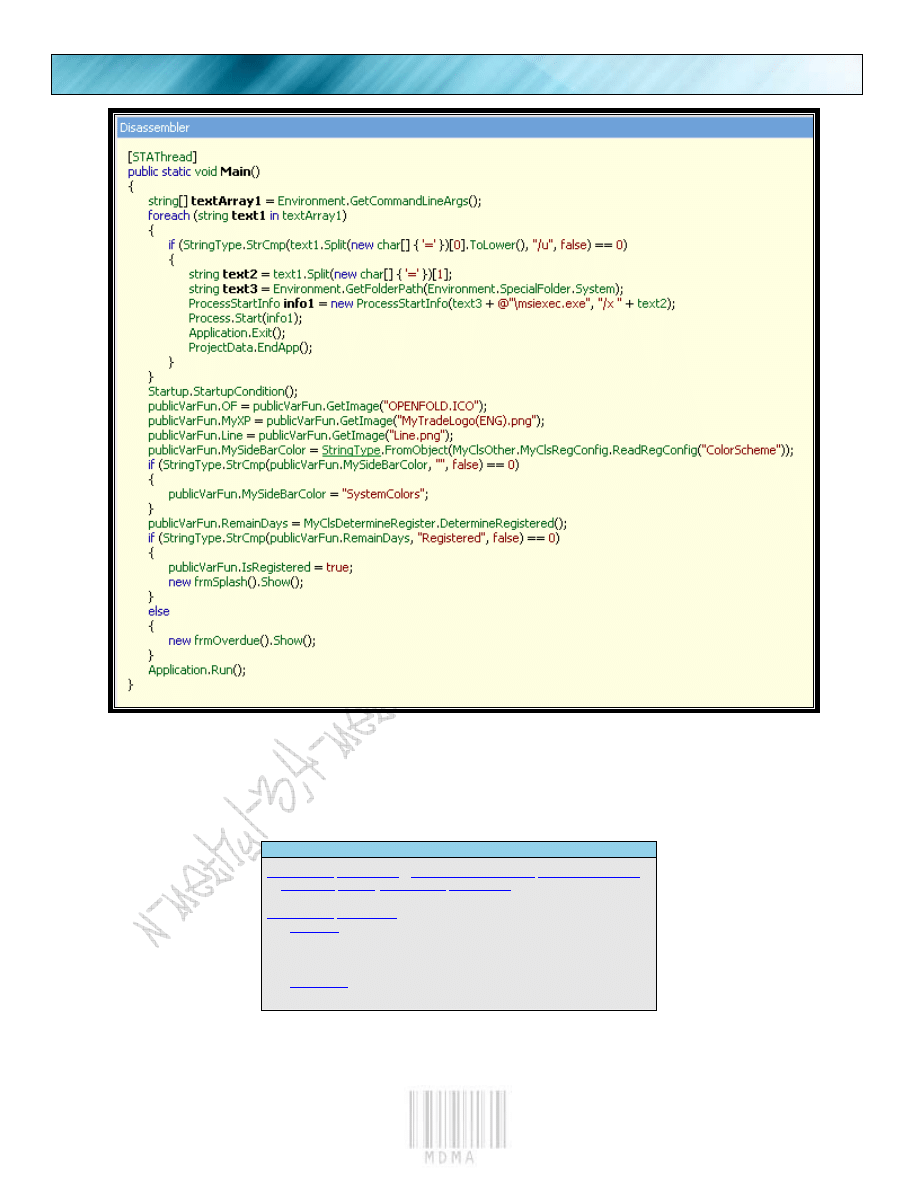
We look real hard at the disassembly to see what it tells us. At first glance we plainly see what we want
to. A certain variable named “IsRegistered”. Now I might not be the Albert Einstein of the reversing community,
but even I know that this looks promising. So to disassemble it more:
Is.Registered
if
(
,
"Registered"
,
false
) ==
0
)
{
=
true
;
new
().Show();
}
else
{
new
().Show();
}
So we are getting the infamous “are
we registered” check, then you can see it
calls “Application.Run()”. So now lets go to
our favorite disassembler and see what we
got from it. Open up IDA and load up the
app.
PAGE 7
.NET REVERSE ENGINEERING TUTORIAL EPISODE 2
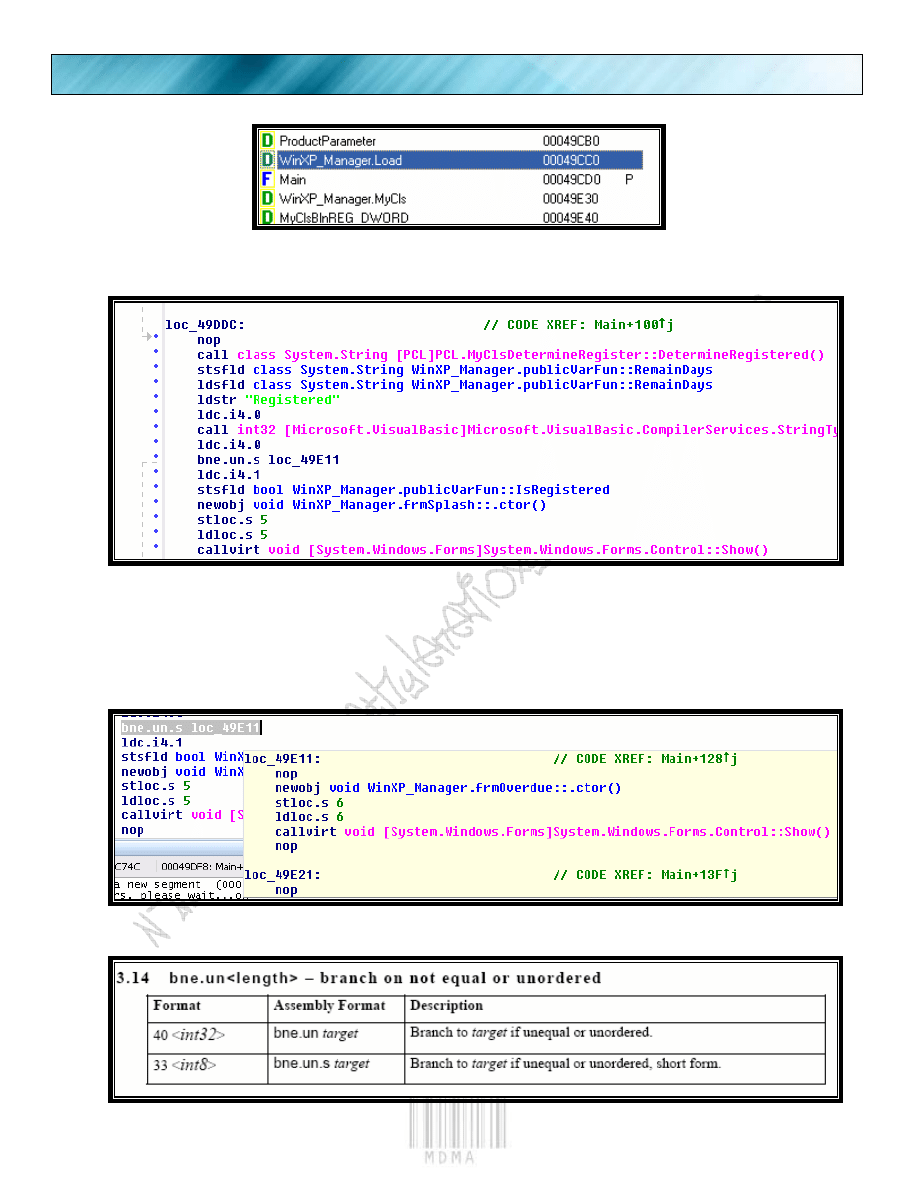
This is our Member name we found from Reflector.
We double click the line “WinXP_Manager.Load”
And we scroll down to our code area we found from reflector.
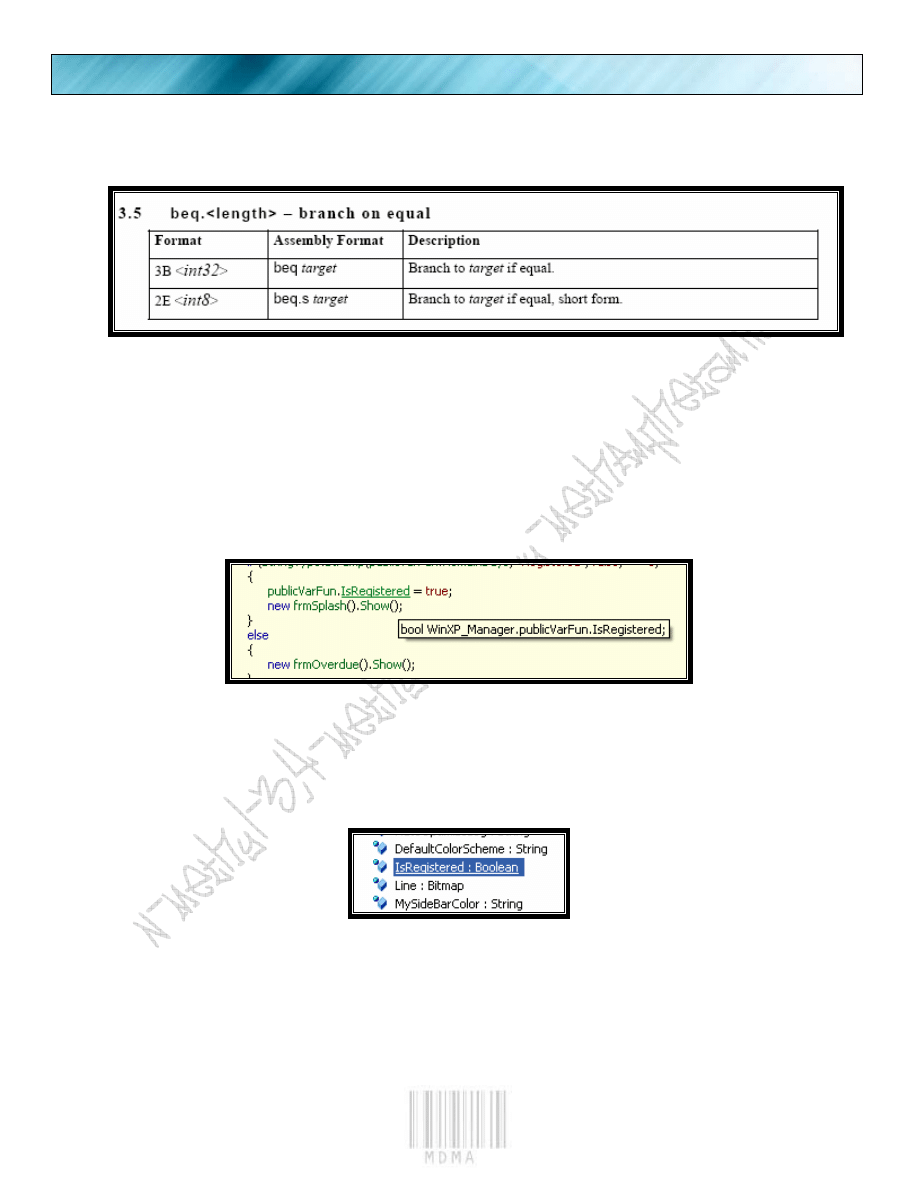
The reason I have this certain area highlighted, with text bubble is found below.
In ASM we had JE, JNE. In .NET we have something similar to it called:
So we have a JNZ here, or JNZ Short.
PAGE 8
.NET REVERSE ENGINERRING TUTORIAL EPISODE 2
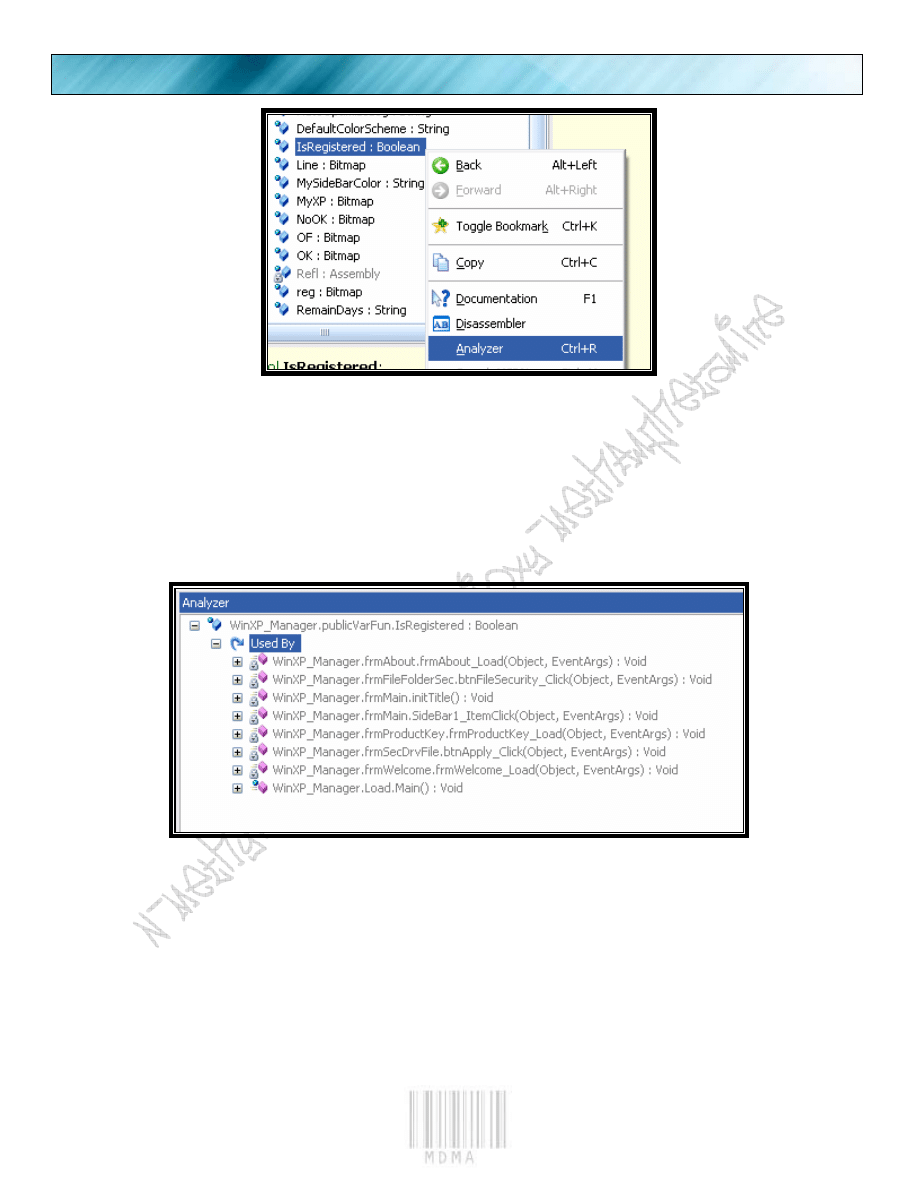
The opposite of JNZ(JNE) is JE. So let’s refer again to our master manual for some document information
on the opcode.
So now we have the opcode for JE.
So in beginner terms, we are making a simple JNZ -> JE. By switching the (bne.un.s , or JNZ Short), to
(beq.s , or JE Short). So we are attacking this application in the simplest of terms, by doing the ever famous Jump
switch. In ASM I would not be caught dead doing this, but in .NET anything goes.
So if we refer back to IDA, we can grab our Binary code to do the “search” for the Hexadecimal
characters in the executable. Now, assuming you have read my first tutorial on .NET, I will assume you already are
aware of the members. We cannot just patch anywhere we like. Sometimes our changes will affect the program
in other places. Lets analyze the function “IsRegistered”. To do this lets get back to the place we started from in
Reflector, then click on the “IsRegistered” member name.
Click the “IsRegistered” member name.
We see the member name.
PAGE 9
.NET REVERSE ENGINEERING TUTORIAL EPISODE 2
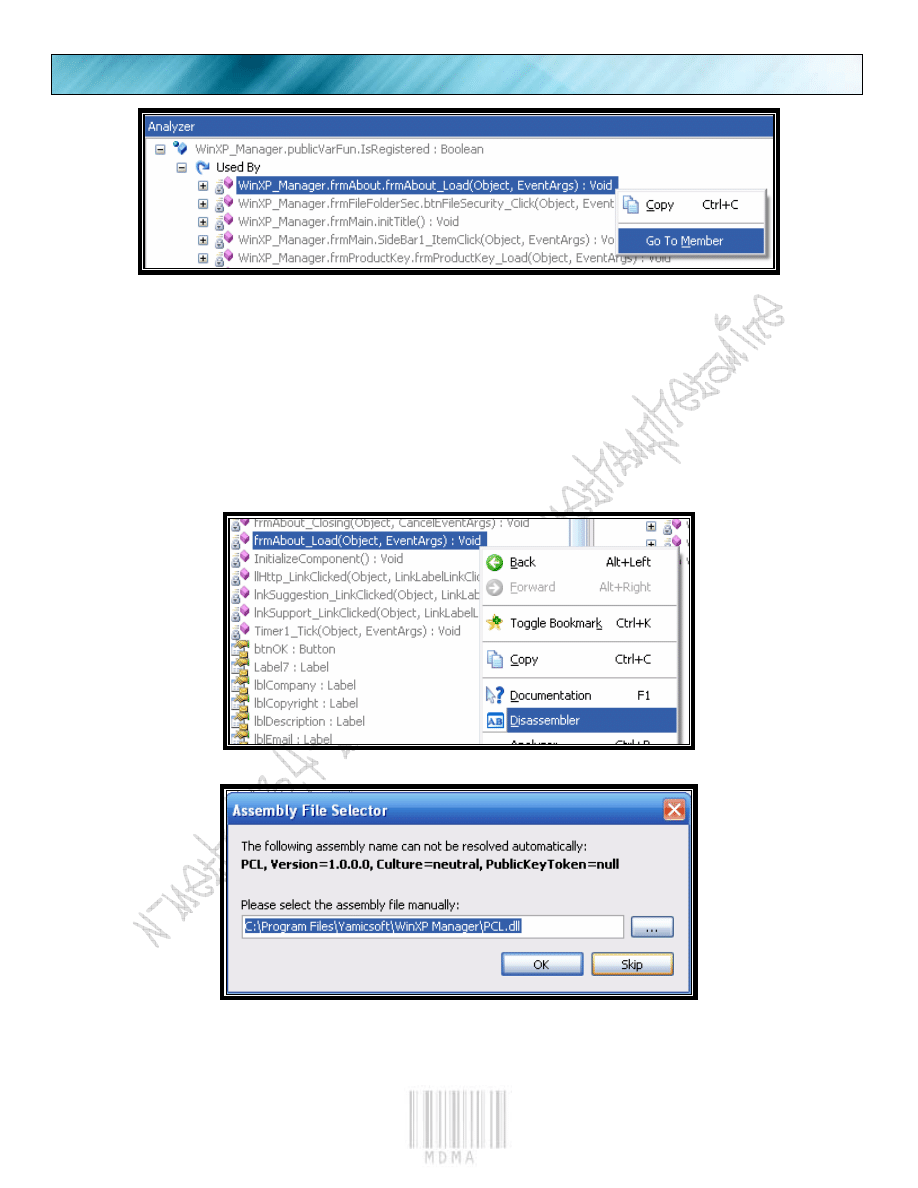
Then we right click the name, and analyze.
Now we see what other functions use the same member name.
So we can conclude that the “IsRegistered” name is used more often than once. Since our original
place we discussed before will set the flag for “IsRegistered” we are good here. So what we must do is go to
each function and see what they tell us.
PAGE 10
.NET REVERSE ENGINERRING TUTORIAL EPISODE 2
We click the first member name, and then we go to the member like in the picture.
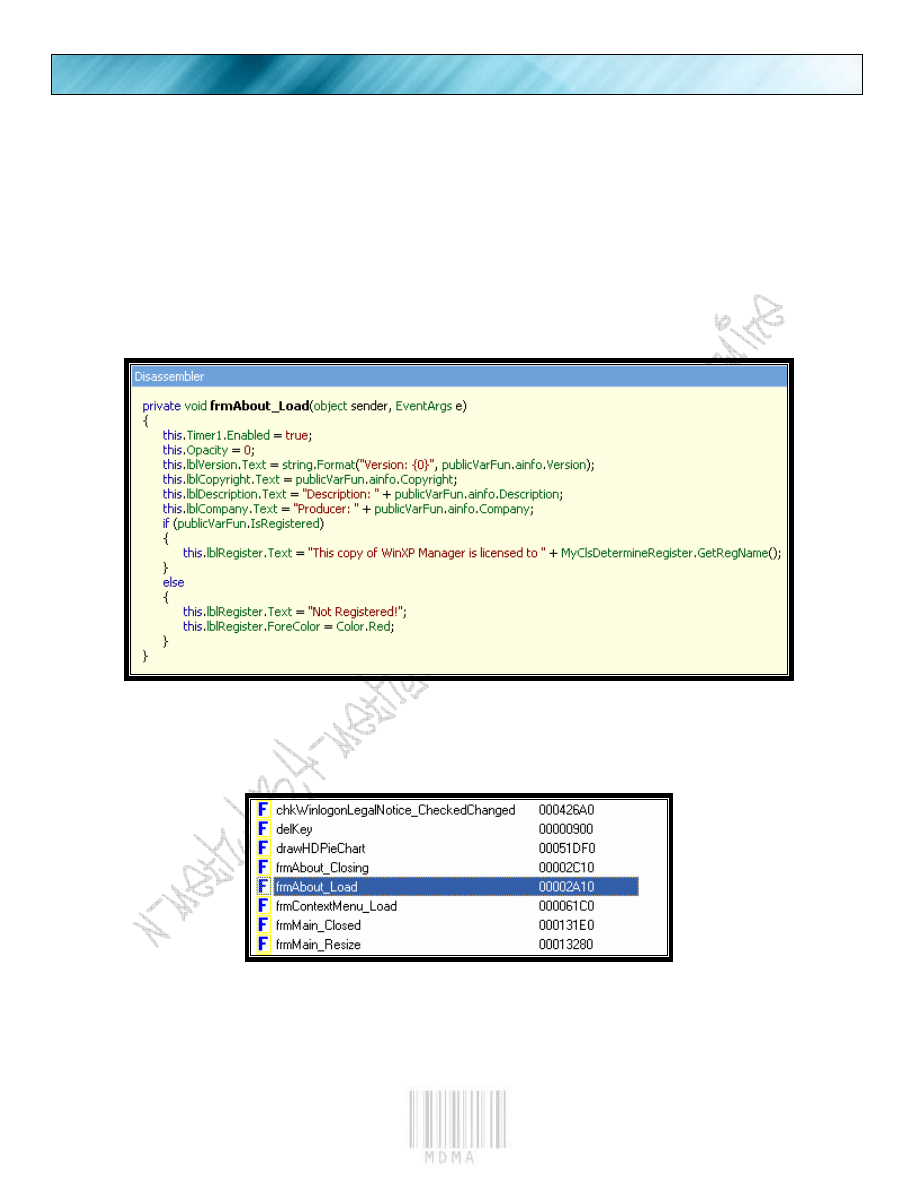
We will follow the “About_Load” into disassembly.
Again skip the error warnings.
PAGE 11
.NET REVERSE ENGINEERING TUTORIAL EPISODE 2
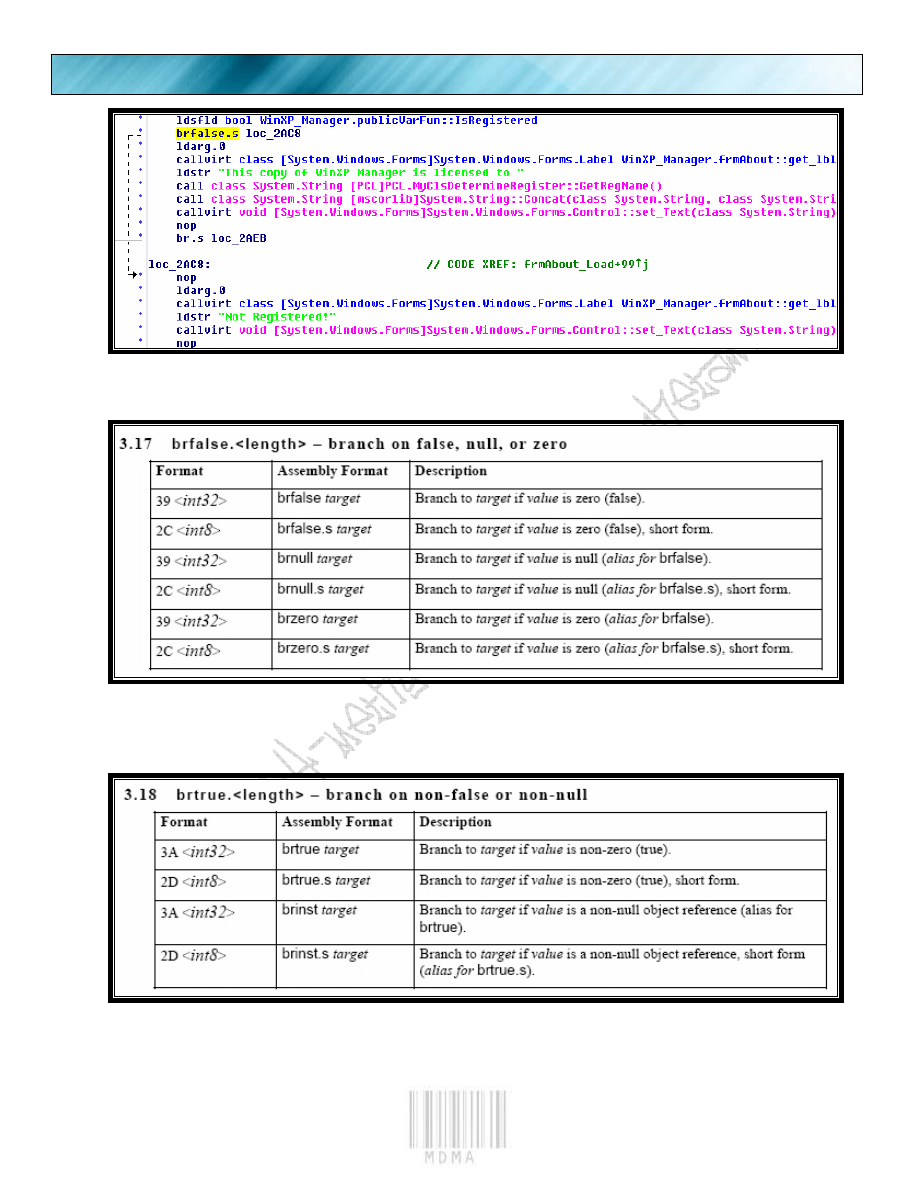
We see the “registered” and “not registered” dialogs.
Let’s switch to IDA view again and see what we got as far as code for this function.
Here is the function name, double click and see the code for it.
PAGE 12
.NET REVERSE ENGINERRING TUTORIAL EPISODE 2
N
OW WE LIKE WE DID BEFORE
.
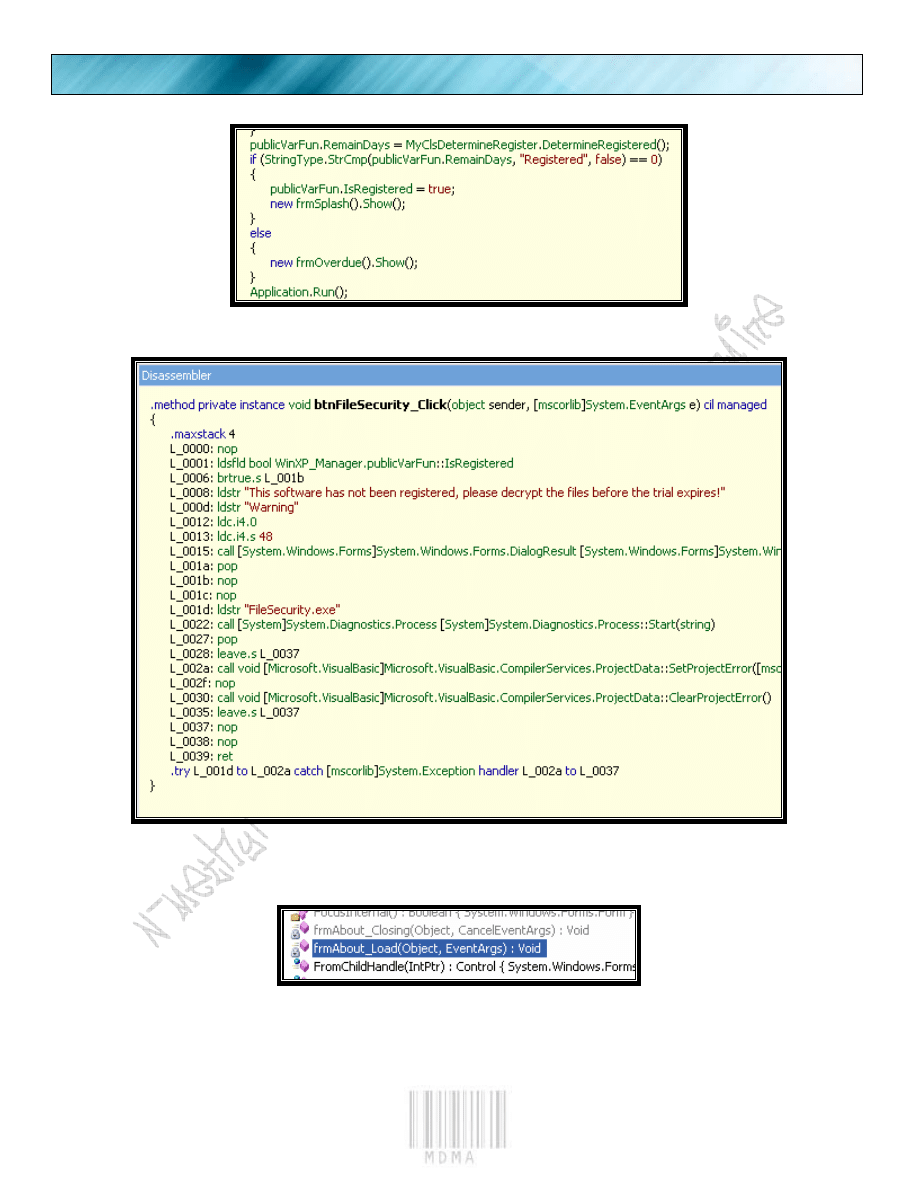
So “brfalse.s” is Branch to target if zero (short)
So the opposite is “brtrue.s”
If we were to click on the other member names, we will see the same idea as before. A “true/false”
switch. So we had eight other member
names popup in our member search. If we
look closely at the initial disassembly, we see
that we do not need to reverse this. The
“IsRegistered” flag is set for us in the
beginning when we load.
PAGE 13
.NET REVERSE ENGINEERING TUTORIAL EPISODE 2
See we set “IsRegistered” to True.
We see the same switch. (which is set true from earlier)
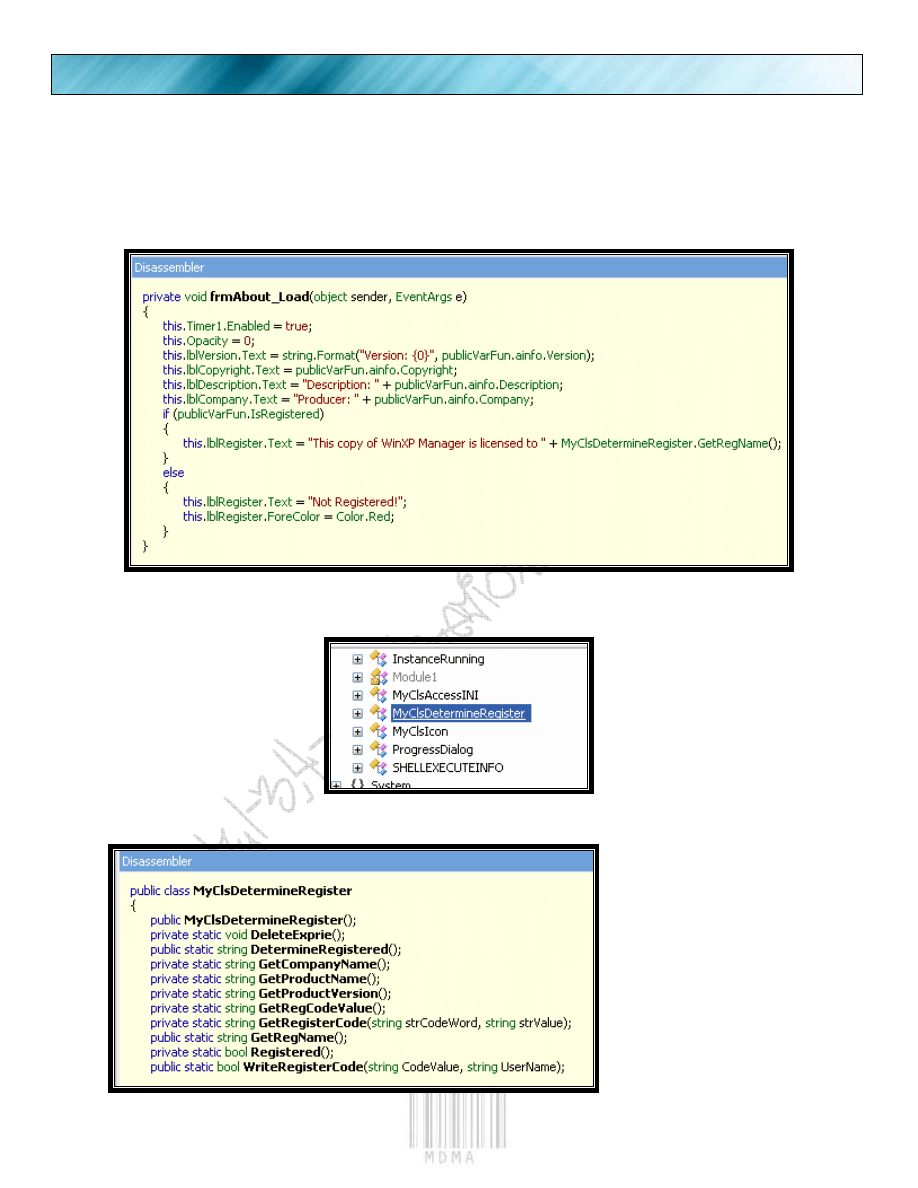
Now lets concentrate on making our name appear in the about box. So we go to the “frm.about.load”
member, and disassemble it to see.
Then disasm it to see.
PAGE 14
.NET REVERSE ENGINERRING TUTORIAL EPISODE 2
And we see if it says registered to: then tries to read a different member.
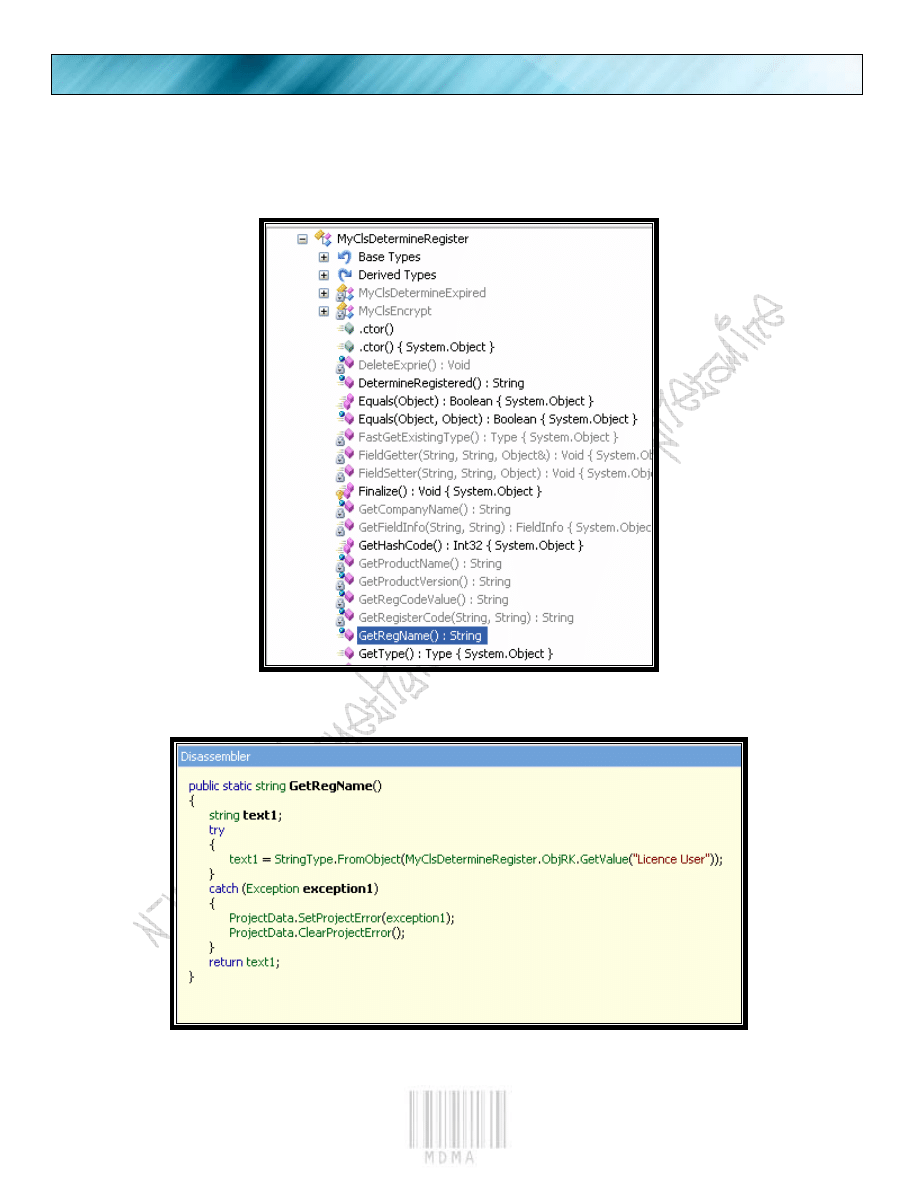
The member it tries to read from is in the “PCL.dll” file. So let’s click the “MyClsDetermineRegister” place.
Then expand it.
We see the “GetRegName()”
PAGE 15
.NET REVERSE ENGINEERING TUTORIAL EPISODE 2
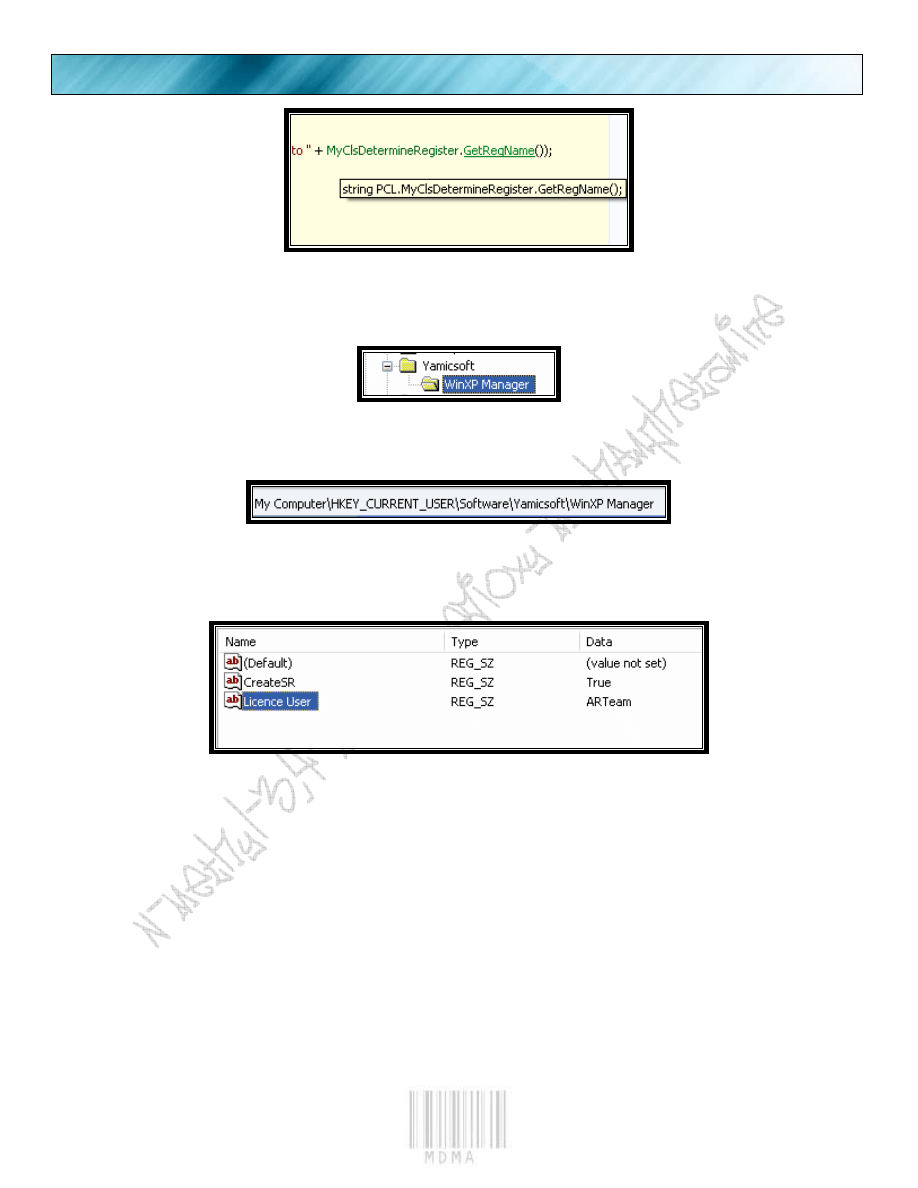
Expand the function and see the member name.
And we see the Value it tried to read from. “Licence User” (yes its spelled wrong)
PAGE 16
.NET REVERSE ENGINERRING TUTORIAL EPISODE 2
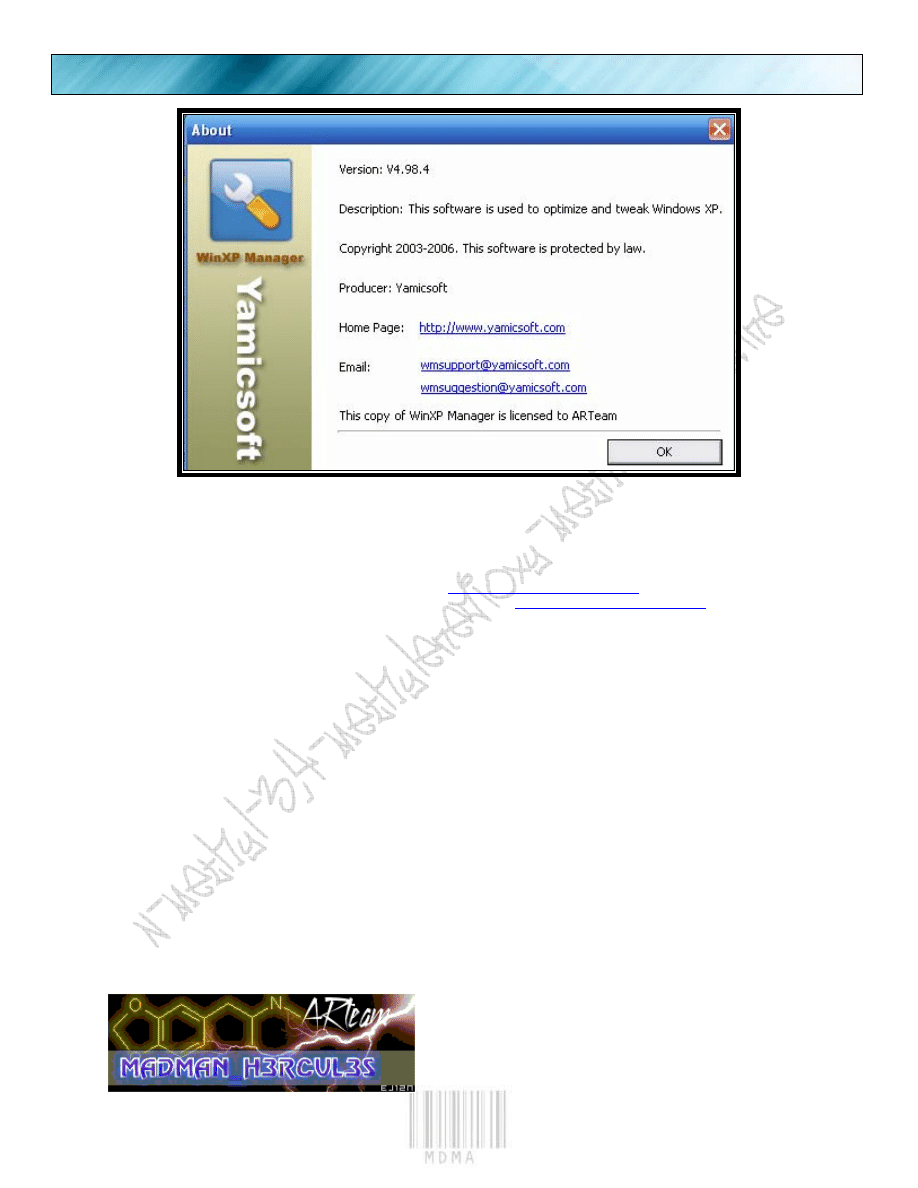
So let’s look in the registry and see what we got.
We look under the following directory.
Now run the app…
PAGE 17
.NET REVERSE ENGINEERING TUTORIAL EPISODE 2
Wasn’t that bad, was it? ☺
1.4.
References
“Primer on .NET”, Shub-Niggurath, Googleplex, zyzygy,
http://tutorials.accessroot.com
“.NET Reverse Engineering Tutorial Episode 1” MaDMAn_H3rCuL3s,
http://tutorials.accessroot.com
1.5.
Conclusions
We have reached the end, and my hope is that you, the reader, learned a new technique. Instead of the old,
Disassemble, re-assemble technique, we simply patched the target and saved ourselves more headaches. This
technique will only work on “non-obfuscated” executables. If this program was obfuscated, then the simple
patching would not be possible. We would have to rely on the decrypt, disassemble, patch, and re-assemble
method.
1.6.
Greetings
ARTeam, fly, shoooo, heXer, unpack.cn, PEdiy forum, SECTiON-8, Like maybe one or two 0day groups, Anyone
who has done any sort of chemical brain enhancement ( ☺ ), Anyone who makes their own chemical brain
enhancers, especially the old HiVE dwellers (you know who you are), and of course…. YOU!
Document History
Version 1.0 first public release

PAGE 18
.NET REVERSE ENGINERRING TUTORIAL EPISODE 2
BEE HAPPY!
Document Outline
Wyszukiwarka
Podobne podstrony:
NET Reverse Engineering Tutorial Episode 1 by MaDMAn H3rCuL3s
1 Java Reverse Engineering Tutorial
Running head REVERSE ENGINEERING MALWARE
Szewczyk, Rafał; Długoński, Jerzy Pentachlorophenol and spent engine oil degradation by Mucor ramos
DTrace The Reverse Engineer’s Unexpected Swiss Army Knife
Reverse Engineering & Memory patching
więcej podobnych podstron